
Technical Specifications
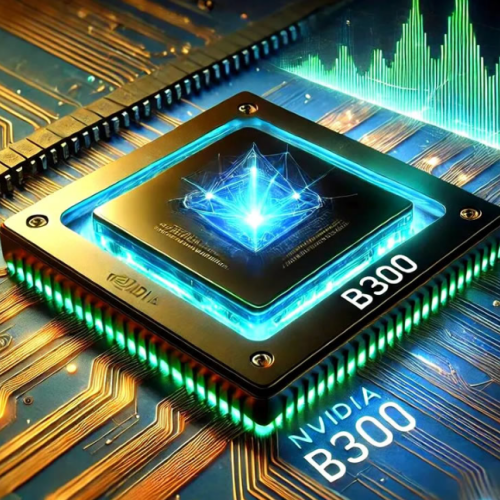
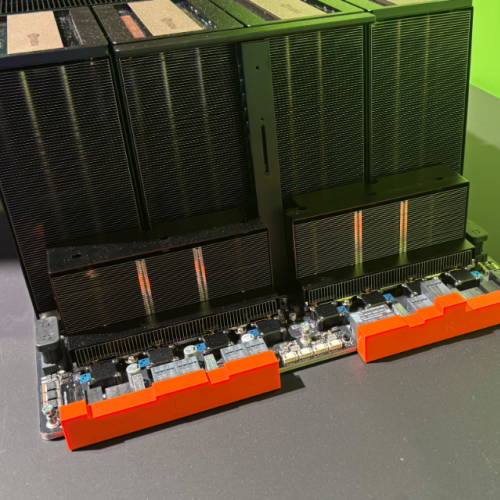
Product Model | NVIDIA B300 (Blackwell Ultra / GB300 SXM5)Manufacturer | NVIDIA CorporationProduct Type | Data Center AI Accelerator Module (SXM5 Form Factor)Architecture / Process | Blackwell Ultra, TSMC 4NP, Dual-Die Package with NV-HBI (10 TB/s)CUDA Cores | 20,480 (160 SM × 128 CUDA cores per SM)Tensor Cores | 640 Fifth-Generation Tensor Cores with 2nd-Gen Transformer EngineOn-Board Memory | 288 GB HBM3e (12 × HBM3e 12-Hi stacks), ECC ProtectedMemory Bus Width / Bandwidth | 8192-bit / 8 TB/sCompute Performance (Dense/Sparse) | FP4: 15 PFLOPS / 30 PFLOPS; FP8: 9 PFLOPS; FP16: 4.5 PFLOPS; TF32: 1.1 PFLOPSIntra-GPU Interconnect | NVLink 5.0 — 1.8 TB/s bidirectional per GPU (full 8-GPU mesh via NVSwitch)Host Interface | PCIe Gen 6 x16 — 256 GB/s bidirectionalThermal Design Power (TDP) | Up to 1400 W (requires cold-plate liquid cooling)Form Factor / Mounting | SXM5 Module — installs on HGX B300 or DGX B300 baseboard only (not PCIe add-in card)
Main Features and Advantages
Massive HBM3e capacity for large model residency: The standout advantage of the NVIDIA B300 is its 288 GB HBM3e frame buffer—50 % larger than the B200’s 192 GB and double that of the H200. For LLM inference workloads, this means a 70B-parameter model at FP8 or NVFP4 precision, together with substantial key-value cache for long-context windows (128K+ tokens), can reside entirely on a single GPU. Eliminating tensor-parallel model sharding across cards for medium-sized models reduces NVLink traffic, cuts inference latency, and improves batch throughput per rack unit. In training scenarios, the enlarged memory permits larger micro-batch sizes or activation checkpointing strategies that would otherwise trigger out-of-memory errors on prior-generation accelerators.Native FP4 with second-generation Transformer Engine: The NVIDIA B300 introduces production-grade support for NVFP4 (NVIDIA 4-bit floating point format) via its fifth-generation Tensor Cores and second-gen Transformer Engine. Benchmark data from NVIDIA’s Blackwell architecture brief indicates up to 1.5× the dense FP4 throughput of the B200 (15 PFLOPS vs. 9 PFLOPS dense), with minimal accuracy degradation versus FP8 for post-trained quantized LLMs. The onboard 256 KB of dedicated Tensor Memory (TMEM) per SM feeds Tensor Cores directly, reducing contention for L2 cache and improving effective utilization during GEMM and attention kernels.Doubled attention-layer acceleration: Special Function Unit (SFU) throughput for exponential operations used in softmax and attention mechanisms has been doubled compared to the original Blackwell B200 GPU. NVIDIA cites up to 2× faster attention-layer compute for transformer models, a tangible benefit for long-context inference and retrieval-augmented generation (RAG) pipelines where the attention bottleneck dominates total latency. For model developers tuning FlashAttention-v3 or custom kernels, the NVIDIA B300 exposes these hardware improvements transparently through the CUDA math library and cuDNN 9.x+.High-bandwidth scale-out with NVLink 5 and PCIe Gen 6: Each NVIDIA B300 connects to the NVLink switch fabric at 1.8 TB/s bidirectional, enabling an 8-GPU HGX node with 14.4 TB/s aggregate NVLink bandwidth—essential for data-parallel and pipeline-parallel training of trillion-parameter MoE (Mixture-of-Experts) models. On the host side, PCIe Gen 6 support doubles the CPU↔GPU transfer rate compared to PCIe Gen 5, beneficial for CPU-offloaded preprocessing pipelines and high-speed checkpoint writing to NVMe-oF storage arrays.Datacenter-grade reliability and ecosystem alignment: Like its predecessors, the NVIDIA B300 incorporates ECC on all SRAM and HBM arrays, GPU page retirement, and in-band/side-band telemetry via NVML and DCGM (Data Center GPU Manager). It is fully supported by NVIDIA NCCL for collective communication, TensorRT-LLM for optimized inference serving, NeMo for LLM fine-tuning, and Run:ai for GPU resource orchestration—ensuring drop-in compatibility with existing MLOps workflows built around the NVIDIA software stack.
Application Field
The NVIDIA B300 is purpose-built for next-generation AI factories and high-end HPC installations where memory capacity, attention-layer throughput, and scale-out bandwidth are the limiting factors rather than raw ALU count alone. In large language model inference deployments—particularly those serving 70B to 405B parameter models via FP8 or NVFP4 quantization—the NVIDIA B300 allows a single HGX B300 node (8× NVIDIA B300) to hold a 400B-parameter model with KV-cache, or to serve multiple smaller models concurrently with high batch sizes. This capability directly translates to reduced time-to-first-token (TTFT) and higher tokens-per-second-per-watt in production AI serving infrastructures operated by cloud service providers and private enterprise AI platforms.For frontier-model pre-training and fine-tuning, the NVIDIA B300 is deployed in multi-node DGX B300 clusters or NVIDIA GB300 NVL72 rack-scale systems, where the combination of 288 GB GPU memory, 8 TB/s HBM3e bandwidth, and 1.8 TB/s NVLink 5 per GPU sustains the all-reduce and all-gather collectives required by ZeRO, FSDP, and pipeline parallelism frameworks. Research institutions and national labs also leverage the NVIDIA B300 for scientific computing workloads such as molecular dynamics (GROMACS, AMBER with CUDA support), computational fluid dynamics (using GPU-accelerated solvers), and climate modeling—domains that benefit from the expanded HBM capacity for large grid simulations and from the mature CUDA-X library ecosystem.In multi-modal AI pipelines—spanning text, vision, and audio—where embedding tables and intermediate activations can be memory-intensive, the NVIDIA B300 reduces the need for CPU-side offloading or gradient accumulation tricks. Enterprise customers building on-premise AI infrastructure for regulated industries (finance, healthcare, automotive) select the NVIDIA B300 when their existing H100/H200 clusters are constrained by memory footprint for longer context windows or by FP4 inference throughput for cost-sensitive high-QPS services. The NVIDIA B300 is not intended for desktop workstations, gaming, or cryptocurrency mining; it requires a compatible HGX B300 server chassis with liquid cooling, 48 V or 54 V DC power distribution, and rack-level thermal management planning.
Related Products
- NVIDIA B200 (Blackwell SXM5) — Base Blackwell-architecture GPU with 192 GB HBM3e and ~9 PFLOPS dense FP4; the NVIDIA B300 offers 50 % more HBM and ~67 % higher dense FP4 throughput, suitable when the B200’s memory is insufficient for larger models.
- NVIDIA H200 (Hopper H200 SXM5) — Previous-generation flagship with 141 GB HBM3e; still widely deployed, but lacks native FP4 and has lower memory bandwidth; often compared when evaluating upgrade justification to the NVIDIA B300.
- NVIDIA H100 (Hopper H100 SXM5) — 80 GB HBM3e, no FP4 support; serves as the baseline for ROI calculations when migrating workloads to the NVIDIA B300.
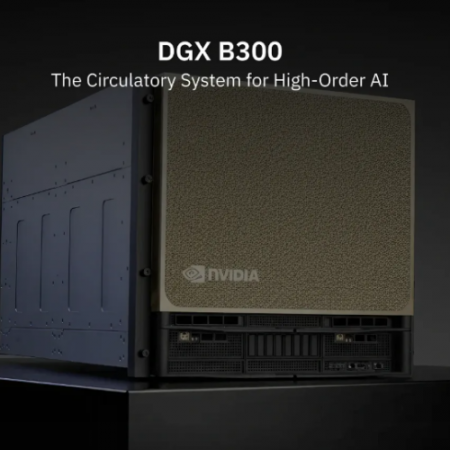
- HGX B300 Baseboard (HGX Blackwell Ultra Platform) — The server baseboard that hosts 8× NVIDIA B300 SXM5 modules with NVLink 5 switches, power delivery, and PCIe Gen 6 host connectivity; required for any NVIDIA B300 deployment.
- NVIDIA DGX B300 System — Factory-integrated 8-GPU rack server with dual Intel Xeon 6 (Granite Rapids) CPUs, 2.1 TB aggregate HBM, ConnectX-8 VPI networking, and pre-installed NVIDIA AI Enterprise; turnkey solution for deploying the NVIDIA B300 at scale.
- NVIDIA GB300 NVL72 (Blackwell Ultra NVL72) — Rack-scale system pairing 72× NVIDIA B300 GPUs with NVLink spine switches for trillion-parameter model training and massive inference farms; represents the largest scale-out form factor for the same GPU silicon.
- NVIDIA ConnectX-8 SuperNIC (800Gb/s) — Recommended network adapter for HGX B300 / DGX B300 nodes to match the NVIDIA B300 cluster’s all-reduce bandwidth requirements in multi-node training.
Installation and Maintenance
Pre-installation preparation: Before installing the NVIDIA B300 into an HGX B300 baseboard, confirm that the server chassis is equipped with a certified cold-plate liquid cooling loop (CDU, quick-disconnect fittings, and flow-rate monitoring) rated for a minimum 1400 W heat load per GPU and ~11–14 kW total for a fully populated 8-GPU node. Verify that the baseboard firmware and BMC are updated to the revision specified in the HGX B300 Hardware User Guide—older firmware may fail to recognize the NVIDIA B300 or incorrectly report TDP limits. Power down the system, relieve liquid cooling pressure, disconnect the cold plate from the existing module (if replacing), and carefully seat the NVIDIA B300 SXM5 module into the gold-finger connector on the HGX baseboard, applying even downward pressure until the retention latches engage. Reattach the cold plate ensuring proper thermal interface material (TIM) coverage per NVIDIA’s torque specification, reconnect coolant lines, and restore power. Upon first boot, use the system BMC or nvidia-smito confirm all eight GPUs are enumerated, the VBIOS/firmware versions match the supported matrix for the NVIDIA B300, and GPU temperature stabilizes within expected idle ranges under liquid cooling.Maintenance recommendations: The NVIDIA B300 has no user-serviceable internal components; do not remove the heatsink/cold plate except for module replacement. Periodically monitor GPU health via DCGM (temperature, ECC error counts, power draw, NVLink error counters) and review system logs for throttling events indicating insufficient coolant flow or air-intake blockage. If an NVIDIA B300 module reports persistent ECC uncorrectable errors or fails to train the NVLink fabric, follow the HGX B300 service manualfor FRU (Field Replaceable Unit) swap procedures—typically a cold-swap operation after draining coolant pressure from that specific cold plate loop. Retain the original packaging for any NVIDIA B300 module removed from service to prevent electrostatic discharge damage during transport. Because the NVIDIA B300 operates at elevated power and thermal stress, ensure annual inspection of liquid cooling seals, particulate filters, and CDU coolant quality per the rack manufacturer’s maintenance schedule.

Reviews
There are no reviews yet.