Description
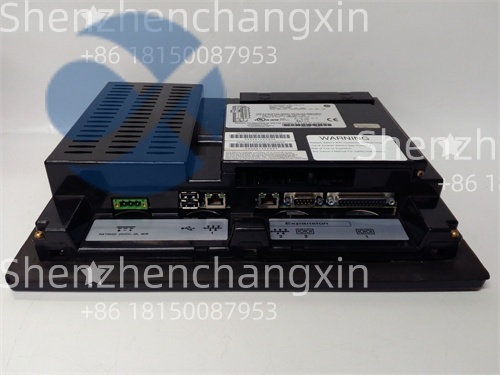
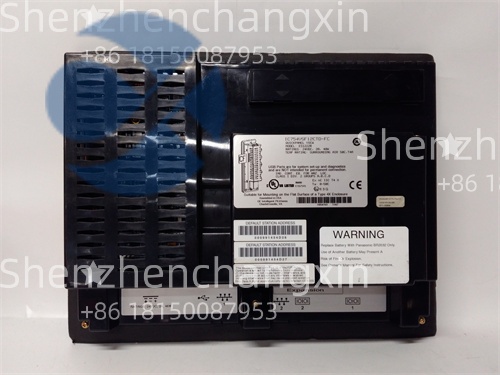
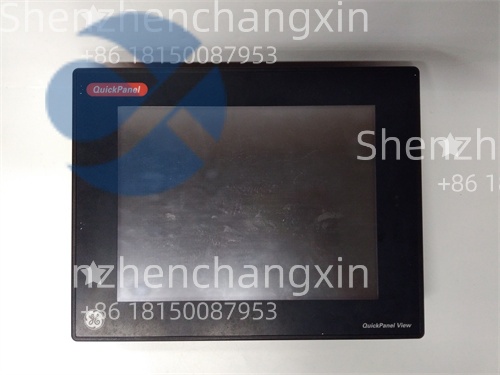
The GE IC754CSX06CTD (manufacturer part number 350-754-166) is a 6-inch color touchscreen Human-Machine Interface (HMI) from GE Fanuc’s QuickPanel+ series, designed for seamless integration with VersaMax, RX3i, and other Modbus/TCP-compatible control systems. It provides operators with real-time visualization, alarm management, data logging, and local control capabilities—ideal for machinery, water treatment, packaging lines, and small-to-midsize industrial processes.
Featuring a high-brightness TFT LCD display with resistive touch technology, the IC754CSX06CTD operates reliably in environments with gloves, moisture, or dust—common in food & beverage, power, and heavy manufacturing settings.
Application Scenarios
At a municipal wastewater lift station in Ohio, operators relied on a legacy pushbutton panel with no trend visibility, leading to repeated pump cavitation during high-inflow events. The facility upgraded to a GE IC754CSX06CTD HMI connected to a VersaMax Nano PLC via RS-485. The new interface displayed real-time wet well level, pump runtime, and fault history—with color-coded alarms for high-level conditions. Maintenance staff could now view weekly runtime logs directly on the screen, enabling predictive seal replacements. During a storm event, the HMI’s audible alarm and flashing red banner alerted an on-call technician to a stuck float switch before overflow occurred. “It turned a dumb pump station into a smart node,” said the utilities director. Total ROI was achieved in under 10 months through reduced emergency calls and extended equipment life.
Parameter
表格
Technical Principles and Innovative Values
Innovation Point 1: Dual Protocol Support Out of the Box
The IC754CSX06CTD natively communicates via Modbus RTU (RS-485) and Modbus TCP (Ethernet)—enabling connection to both legacy PLCs and modern networks without gateways.
Innovation Point 2: Embedded Web Server for Remote Diagnostics
Authorized users can view live screens or download logs via any web browser—eliminating the need for dedicated SCADA clients for basic monitoring.
Innovation Point 3: True Panel Integration with Minimal Footprint
With only a 6″ diagonal size and shallow depth (~80 mm behind panel), it fits into compact machine enclosures where larger HMIs won’t fit.
Innovation Point 4: Lifecycle Compatibility with Legacy GE Ecosystems
Despite being end-of-life (EOL), the IC754CSX06CTD remains critical for maintaining thousands of installed VersaMax and Series 90-30 systems worldwide.
Application Cases and Industry Value
In a snack food packaging line in Texas, frequent downtime occurred due to unclear fault codes on a monochrome operator panel. Technicians wasted minutes tracing error numbers to manuals. After installing the GE IC754CSX06CTD, faults appeared as animated icons with plain-language messages (“Seal Bar Overheat – Check Thermocouple”). Mean time to repair (MTTR) dropped by 65%. Additionally, production supervisors accessed the built-in web page from tablets to track OEE metrics. “It paid for itself in one less shift of downtime,” noted the plant engineer. This blend of usability and connectivity underscores the module’s enduring value—even in an era of IIoT.
Related Product Combination Solutions
GE VersaMax CPU (IC200CPU005): Compact PLC—ideal partner for IC754CSX06CTD in small systems
GE RX3i CPU (IC695CPU320): High-performance controller—for larger applications
Proficy Machine Edition (PME): Official development software—includes HMI + PLC programming
GE IC754CSX09CTD: 9″ version—for applications needing more screen real estate
Red Lion G306C: Alternative HMI—but lacks native GE protocol support
Allen-Bradley PanelView Plus: Competitor—but requires RSLinx for GE PLC integration
GE Field Control I/O: Can be monitored locally via IC754CSX06CTD over Modbus TCP
Ignition SCADA (Inductive Automation): For enterprise-level data aggregation from multiple IC754CSX06CTD units
Installation, Maintenance, and Full-Cycle Support
Installing the GE IC754CSX06CTD requires:
Cutting a 152 mm × 119 mm panel opening.
Securing the unit with included clamps and IP65 gasket.
Wiring 24 V DC power, RS-485 (A/B/GND), and optionally Ethernet.
Configuring IP address or Modbus slave ID via front keypad if needed.
Best practices:
Use shielded cables for RS-485. with shield grounded at one end.
Avoid mounting near high-EMI sources (e.g., VFDs) without filtering.
Back up application files regularly using PME or USB (if supported).